 Pochi Docs
Weekly Update #18
TL;DR
Hope your year’s been off to a good start.
We’re back to shipping, and this release includes updates to how follow-up prompts use your local edits, a clearer Auto Layout setup flow, better recovery when things fail (like model loading and Mermaid diagrams), and a few UI fixes that remove common friction points.
Let’s dive in!
🚀 Features
-
User Edits are now included in agent context: Recent code changes you make are now captured and sent along with your next prompt. These edits are also shown in the chat context and multi-diff view, so you can see exactly what the agent is reacting to.
This helps the agent continue from your version of the code without you needing to re-explain what you already changed. #983
✨ Enhancements
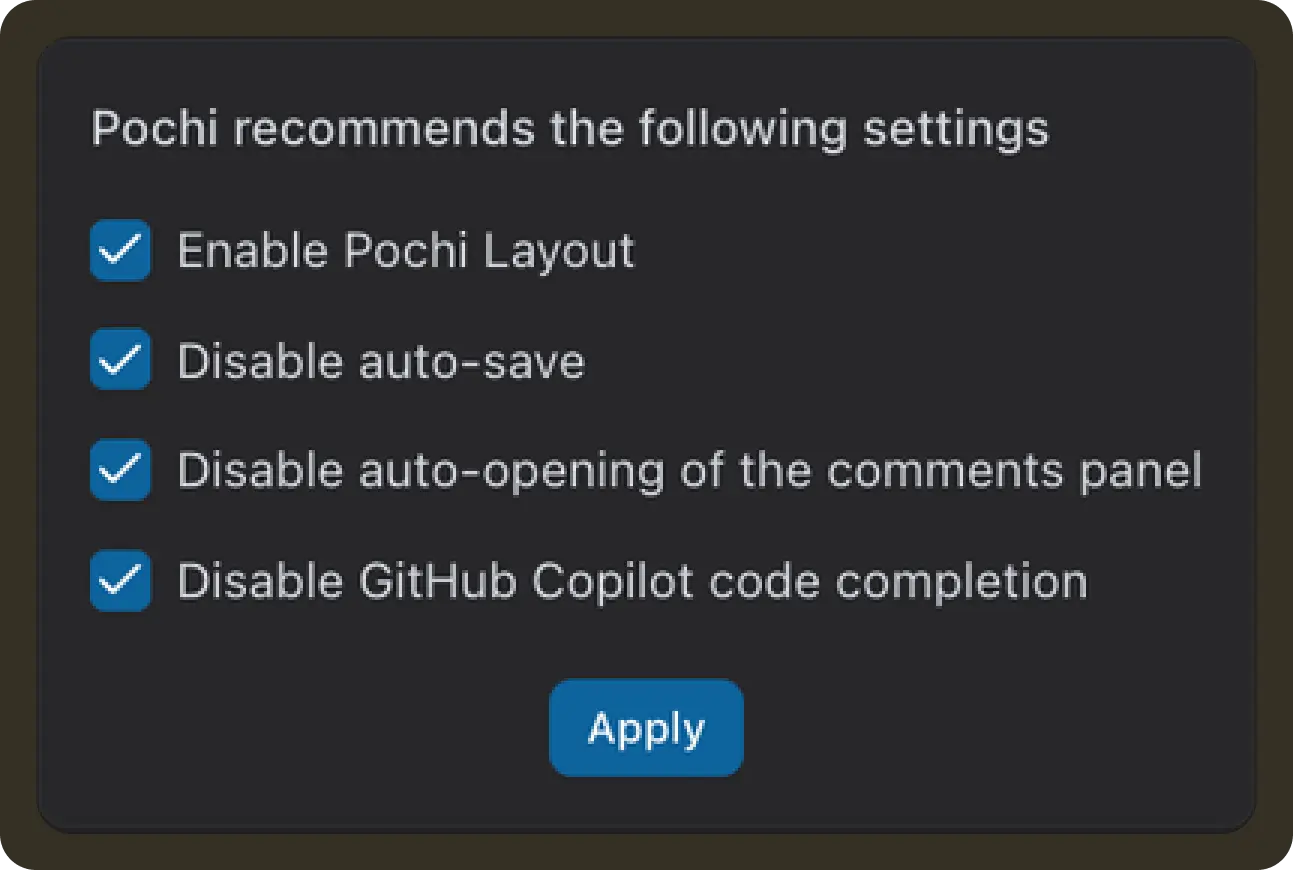
- Improved Auto Layout onboarding: Auto Layout can modify several VS Code settings such as layout, keybindings, auto-save, and conflicting completions. The new onboarding screen explains these changes upfront and allows you to selectively apply them, making it easier to enable Auto Layout with confidence. #985
-
Create worktrees from remote branches: When creating a new worktree, you can now choose a remote branch (for example,
origin/feature-branch) as the base instead of being limited to local branches. This makes it easier to start from branches that exist on the remote but aren’t checked out locally. #958 -
Recover from Mermaid rendering errors in chat: When a Mermaid diagram fails to render, a
Fix error with Pochibutton is now shown so you can ask the agent to correct the diagram instead of being stuck with a broken block. #968 -

Retry when models fail to load: If the model list fails to load due to a network or backend issue, you can now retry directly from the UI instead of reloading the entire VS Code window.#984
- More space for worktree details: We optimized the worktree list layout so action buttons no longer take up space when not visible, giving more room for worktree names and PR information, particularly on smaller screens.#925
🔥 Preview
- We’re working on a Create Plan flow for new tasks in the sidebar, letting you generate a structured plan first before executing the task.