 Pochi Docs
Weekly Update #43
TL;DR
Pochi 0.78 makes it easier to keep track of work running in the background. Jump into a running job’s terminal, check its saved output after it finishes, and stop jobs you no longer need. This release also smooths out frequent monitor updates and fixes several issues with Browser Agent sessions and model compatibility.
🚀 Features
-
Follow a background job from live output to final results: When a dev server or test suite is running in the background, click its job badge to open the live terminal. Once the job finishes, the same badge opens its recorded output, so you can go back and check what happened.
The same job badge appears in chat, notifications, and the background-work panel. From the panel, you can also stop running jobs and copy completed output. On Windows, or whenever a live terminal view is unavailable, jobs open their output files instead. #1995, #2003
✨ Enhancements
- Keep frequent monitor updates from interrupting an idle task: Pochi now groups rapid progress updates together instead of resuming the task for every event. The collected output stays available for its next response, while monitor endings, job completions, and your follow-up messages are handled immediately. #2005
🐛 Bug Fixes
-
Browser Agent sessions start and reconnect reliably: Local Chrome sessions no longer hang on startup or repeatedly prompt you to connect. Live previews and session cleanup are also handled more reliably. #1998
-
Closing a task’s last tab stops its background work: Commands and their child processes, monitors, and background subagents are stopped instead of being left running. #2006
-
BYOK models can inspect images returned by tools: OpenAI-compatible models now receive images from
readFileand MCP tools as image attachments, fixing cases where they received unusable JSON payloads instead. #2002 -
Gemini works with more MCP tool schemas: Schemas containing empty-string options no longer prevent a task from starting with a
cannot be emptyvalidation error. #1997
👀 Coming Up
Two features planned for Pochi 0.80 are available to try in the 0.79.0 prerelease:
-
Bring an earlier conversation into your next task: Pick a past task from the composer’s
@menu to give Pochi access to its saved transcript. When an implementation builds on an earlier investigation or debugging session, you can carry that context forward without explaining it again. Clickable task badges let you reopen the referenced conversation. #2011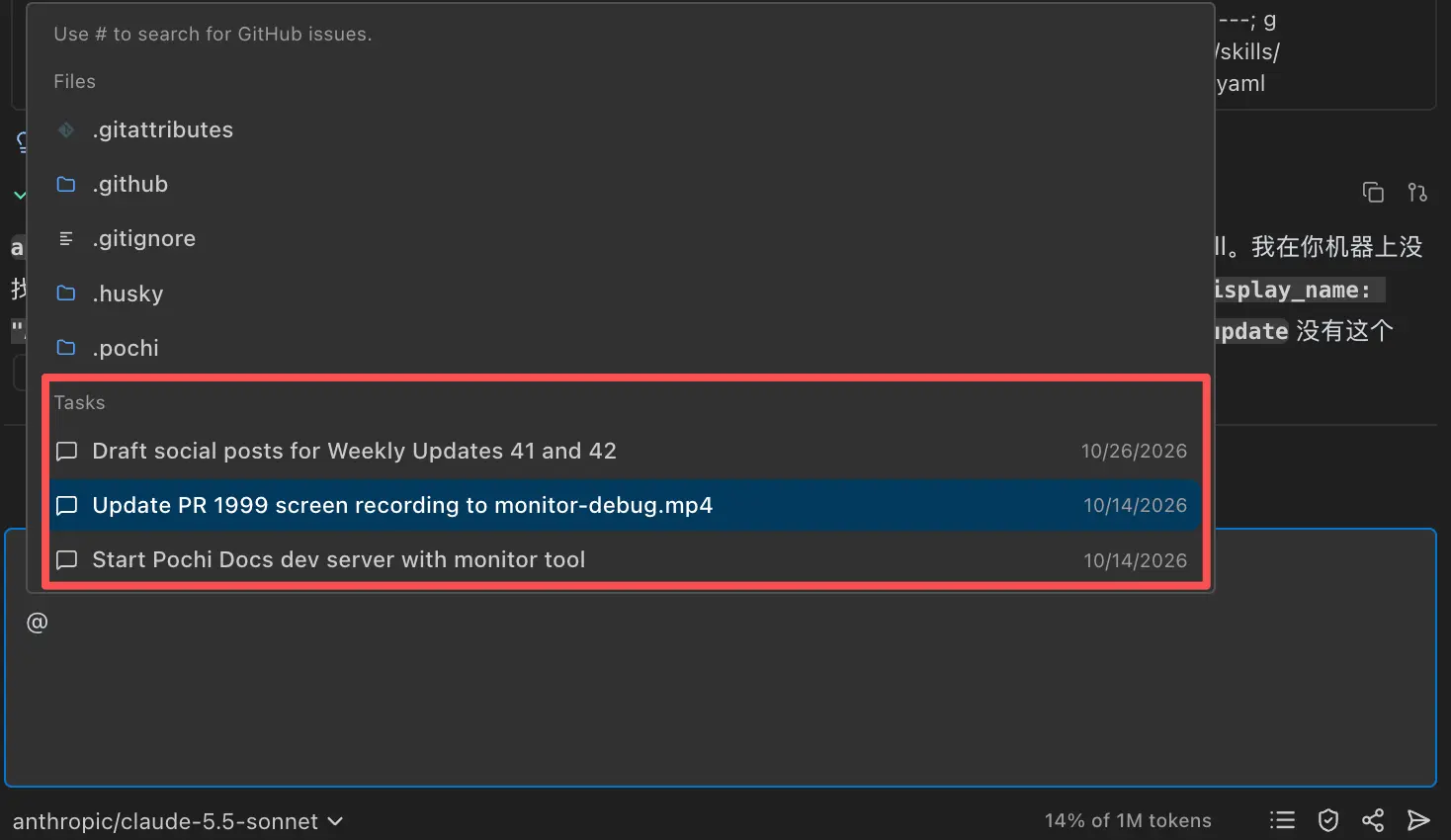
-
Start a review from the code you’re reading: Select code or right-click a line number, then choose Pochi: Add Comment to write an inline comment. Submitting your first comment starts a review in chat, keeping your feedback tied to the relevant lines. With text selected, you can also use
Cmd+Shift+L(Ctrl+Shift+Lon Windows and Linux). #2012